Every WordPress site needs the same routine work after launch: updates, backups, security checks and the occasional fix. You can do it yourself, pay someone by the hour or sign up for a monthly plan, and the prices for that work vary more than almost anything else in WordPress.
This guide puts numbers on it. It covers the price ranges by type of site, what named providers charge in November 2026, what the money buys at each tier, when hourly work is cheaper and what it costs to skip maintenance altogether. If you want the task list itself, my guide to what WordPress maintenance includes covers it in detail.
How much does WordPress maintenance cost in 2026?
Professional WordPress maintenance plans start around $50 to $100 a month, and most business sites pay $100 to $300 a month. Sites that earn revenue directly, such as online stores, pay $300 to $1,000 or more. Doing it yourself costs $0 to about $105 a month in tools, plus your time.
Those ranges come from DreamHost’s maintenance plan guide (updated August 2026) and Pantheon’s breakdown of maintenance plan pricing, and they line up closely:
| Option | Typical monthly cost | Best for |
|---|---|---|
| Do it yourself | $0 to $105 in tools, plus your time | Simple sites with an owner who is comfortable in wp-admin |
| Budget plan | $30 to $100 | Brochure sites that rarely change |
| Mid-tier plan | $100 to $300 | Business sites that generate leads |
| Premium plan | $300 to $1,000+ | Sites where downtime directly costs sales |
| WooCommerce plan | From about $500, sometimes over $3,000 | Busy online stores with many plugins and orders |
The gap between the bottom and the top is mostly about how much human time is included. A $50 plan is largely automated. A $500 plan pays for a developer who tests updates, checks logs and fixes things before you notice them.
What do real WordPress maintenance plans charge?
Named providers charge anywhere from about $42 to $1,000 or more a month in November 2026. Plans under $100 cover updates, backups and monitoring. Plans between $100 and $300 add developer time, faster support or WooCommerce checks. Plans above that are built around several included developer hours each month.
| Provider | Plan | Monthly price | Notable inclusions |
|---|---|---|---|
| Ajay Khandal | Care Lite / Care Plus / Care Pro | From $49 / $129 / $249 | Updates, backups and monitoring; Care Plus adds 1 hour of changes, Care Pro adds 3 hours, WooCommerce checks and staging |
| Code Samurai | Basic / Zen / Zen+ | $42 / $150 / $230 | Bundled with hosting; Zen+ adds weekly updates and 1 hour of work |
| WP Buffs | Maintain / Protect / Perform / Custom | $89 / $179 / $239 / $359 | Weekly updates and 24/7 emergency support; higher tiers add unlimited edits and speed work |
| Codeable | Basic / Advanced / Enterprise | $240 to $280 / $590 to $670 / from $1,000 | Staging-first updates, daily backups and 1, 2 or 4+ developer hours |
Prices were checked on each provider’s page in November 2026. Several plans have add-ons or limits per site, so compare the inclusions with what your site needs before comparing prices.
What does each price tier include?
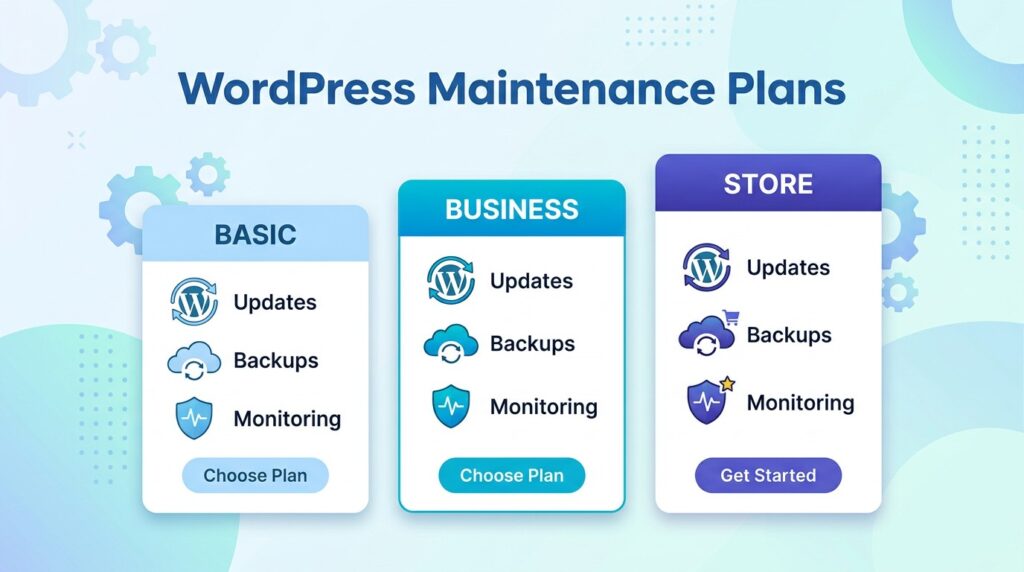
Every paid tier includes core, theme and plugin updates, backups and uptime monitoring. Moving up a tier buys more frequent backups, updates tested on a staging copy, included developer hours for small changes, WooCommerce checks and a faster response when something breaks. The table shows how my three plans step up.
| Included | Care Lite (from $49) | Care Plus (from $129) | Care Pro (from $249) |
|---|---|---|---|
| Core, theme and plugin updates | Yes | Yes | Yes |
| Backups | Weekly, cloud | Daily | Daily |
| Uptime monitoring and security scanning | Yes | Yes | Yes |
| Performance monitoring | Not included | Yes | Yes |
| Small changes included | None | 1 hour a month | 3 hours a month |
| WooCommerce health checks | Not included | Not included | Yes |
| Staging site | Not included | Not included | Yes |
| Support | Priority, under 5 hours | Same-day emergency response |
A brochure site that changes twice a year rarely needs more than the first column. A store taking orders every day needs the third, mainly for the staging site: plugin updates on a WooCommerce store should be tested on a copy before they reach checkout. My guide to setting up a WordPress staging site explains why.
What makes a WordPress maintenance plan cost more?
Six things push the price up: the type of site, how updates are tested, how often backups run, how many developer hours are included, how fast the provider responds and where the developer is based. A WooCommerce store with staging-first updates, daily backups and same-day support will always cost more than a five-page brochure site.
- Site type. Stores, membership sites and booking sites have more plugins, more data and more to lose from a bad update.
- Update testing. Running updates straight on the live site is cheap. Testing them on staging first takes developer time and is worth it for any site that earns money.
- Backup frequency. Weekly backups suit a site that rarely changes. A store needs daily backups or better so a restore doesn’t lose orders.
- Included hours. Each hour of developer time in a plan adds its hourly cost. Codeable’s plans, for example, are built around 1, 2 or 4+ developer hours a month.
- Response time. Next-business-day email support costs less than a same-day emergency promise.
- Location. Developer rates differ several times over between countries, which flows straight into plan prices. My 2026 developer rates comparison shows the gap.
Is paying hourly cheaper than a monthly maintenance plan?
Paying hourly is cheaper only if your site rarely needs anything. Hourly work covers fixes and changes, but it doesn’t run the backups, monitoring and security scans that a plan includes. For most business sites, a plan costs less over a year because problems get caught early, before they turn into emergency work.
Hourly rates for WordPress work vary widely. Codeable prices custom blocks of developer time at $80 to $120 an hour. US developers typically charge $100 to $150 or more, while senior developers in India charge about $25 to $60, according to my developer rates guide. My own rate is $15 an hour, and one-off fixes outside a plan are quoted as a flat fee before I start, so you know the cost upfront.
| Approach | What you pay for | Works best when |
|---|---|---|
| Hourly or flat-fee fixes | The time spent on each task you request | You handle updates and backups yourself and only need occasional help |
| Monthly plan | Routine updates, backups, monitoring and a response promise, plus any included hours | The site generates leads or sales and you don’t want to watch it yourself |
At $15 an hour, the hour of changes inside Care Plus is worth $15 of its $129. The rest pays for daily backups, monitoring and a support promise. That is the real comparison to make with any provider: work out what the included hours are worth, then decide whether the routine work and the response time justify the difference.
What does it cost to skip WordPress maintenance?
Skipping maintenance saves the monthly fee until something breaks. Patchstack recorded 11,334 new vulnerabilities in the WordPress ecosystem in 2025, 42% more than in 2024. Most are in plugins, and the most targeted ones are attacked within hours of disclosure, so an unmaintained site falls behind quickly.
The figures from Patchstack’s State of WordPress Security in 2026 report show where the risk sits:
- 91% of new vulnerabilities were in plugins and 9% in themes. Only 6 were in WordPress core.
- 17% had a high severity score, meaning they were likely to be used in automated mass attacks.
- For heavily exploited vulnerabilities, the median time to mass exploitation was 5 hours.
- 46% were not fixed in time for public disclosure, so updates alone don’t protect a site. Removing abandoned plugins and monitoring for changes matter too.
A hacked site costs far more than a year of maintenance. You pay for the cleanup, lose sales or leads while the site is down and can lose search rankings if Google flags it. Cleanup work is quoted after diagnosis because no two infections are the same. My hacked WordPress recovery checklist shows the steps, and my bug fix and rescue service handles it when you need help fast.
Can agencies resell WordPress maintenance under their own brand?
Yes. Many agencies sell care plans to their clients and pay a developer to do the work behind the scenes, under the agency’s brand. The agency sets its own client price, keeps the relationship and keeps the margin. The developer handles updates, backups, monitoring and fixes, and reports back to the agency only.
I offer my three plans to agencies on a white label basis at the same per-site prices, from $49, $129 or $249 a month, so you can add your margin and quote your client a fixed monthly fee. Recurring maintenance is often the easiest service for an agency to add, because the work is predictable and the client pays every month. My guide to white label WordPress development covers pricing models, contracts and how to choose a partner.
Which WordPress maintenance plan does your site need?
Match the plan to what an hour of downtime would cost you. A brochure site needs updates, weekly backups and monitoring. A lead-generating business site needs daily backups and some included hours for changes. An online store needs staging-first updates, WooCommerce checks and a same-day response.
| Your site | What it needs | Typical budget |
|---|---|---|
| Brochure or portfolio site, rarely updated | Updates, weekly backups, uptime and security monitoring | $30 to $100 a month |
| Business site that generates leads, with a blog | Daily backups, performance monitoring, a few small changes each month | $100 to $300 a month |
| WooCommerce store or membership site | Staging-first updates, WooCommerce checks, included hours, fast emergency response | $250 a month and up; busy stores often $500 or more |
Before you sign, ask any provider four questions: are updates tested before they go live, where are backups stored and how often, how many hours of changes are included, and how fast do they respond when the site is down. Also check that you can cancel at any time and that you keep full ownership of the site. My care plans can be cancelled anytime, and the pricing page lists every tier.