
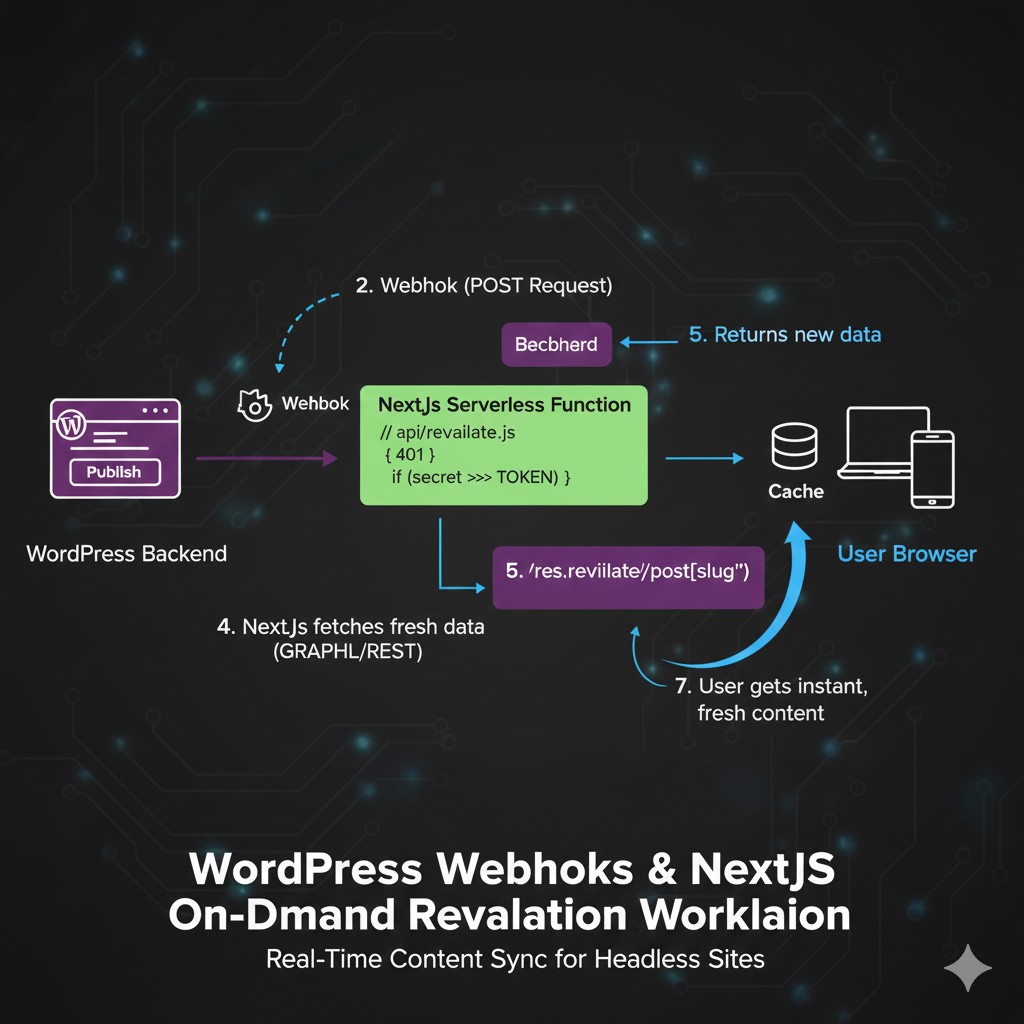
What are Webhooks in a Headless Environment?
A Webhook is an automated message sent from one app to another when a specific event happens. In our case, WordPress is the “Sender” and your frontend (Vercel, Netlify, or a custom server) is the “Receiver.”
When you update a post, WordPress sends an HTTP POST request to a specific URL on your frontend. This request acts as a signal to clear the cache or trigger a new build.
Strategy 1: Triggering Automated Build Hooks
If you are using a static site generator like Gatsby or a standard SSG setup on Netlify/Vercel, you likely use Build Hooks.
- How it works: When a post is updated, WordPress pings your hosting provider’s build URL.
- The Downside: For sites with 1,000+ pages, rebuilding the entire site for a single typo fix is inefficient and slow.
- Best for: Small sites or blogs that don’t update frequently.
Strategy 2: Next.js On-Demand Revalidation (Recommended)
For high-performance applications, On-Demand Revalidation is the superior method. Instead of rebuilding the whole site, it tells Next.js to purge the cache for only the specific page that changed.
Step 1: Create the Revalidation API in Next.js
On your frontend, create a secure API route (e.g., /api/revalidate). This route checks for a secret token to prevent unauthorized cache purging.
// pages/api/revalidate.js
export default async function handler(req, res) {
  // Check for secret token
  if (req.query.secret !== process.env.MY_SECRET_TOKEN) {
    return res.status(401).json({ message: 'Invalid token' });
  }
  try {
    const slug = req.body.slug;
    await res.revalidate(`/posts/${slug}`);
    return res.json({ revalidated: true });
  } catch (err) {
    return res.status(500).send('Error revalidating');
  }
}
Step 2: Trigger the Webhook from WordPress
You can use a plugin like WP Webhooks or write a simple function in your functions.php that hooks into save_post. This ensures that every time a post is saved, it pings your Next.js API with the post slug.
Comparing Sync Methods for Headless WP
| Method | Speed | Server Load | Complexity |
| Standard SSG | Slow (Builds everything) | High | Low |
| Polling (ISR) | Medium (Time-based) | Low | Medium |
| On-Demand Revalidation | Instant (Seconds) | Very Low | High |
Security First: Protecting Your Webhooks
Webhooks are public URLs. If an attacker finds your revalidation endpoint, they could spam it and crash your site.
- Secret Tokens: Always use a
SECRET_TOKENin your URL parameters. - IP Whitelisting: If possible, only allow requests from your WordPress server’s IP address.
- Payload Validation: Ensure your Headless JWT Authentication or a similar handshake is used to verify that the request actually came from your trusted WordPress instance.
Conclusion: Achieving a Seamless Content Loop
By mastering wordpress webhooks headless sync, you eliminate the primary frustration of decoupled development: the delay between editing and seeing changes. Whether you are building a news site that needs instant updates or a corporate site requiring high performance with Next.js, webhooks are the glue that holds your architecture together.