
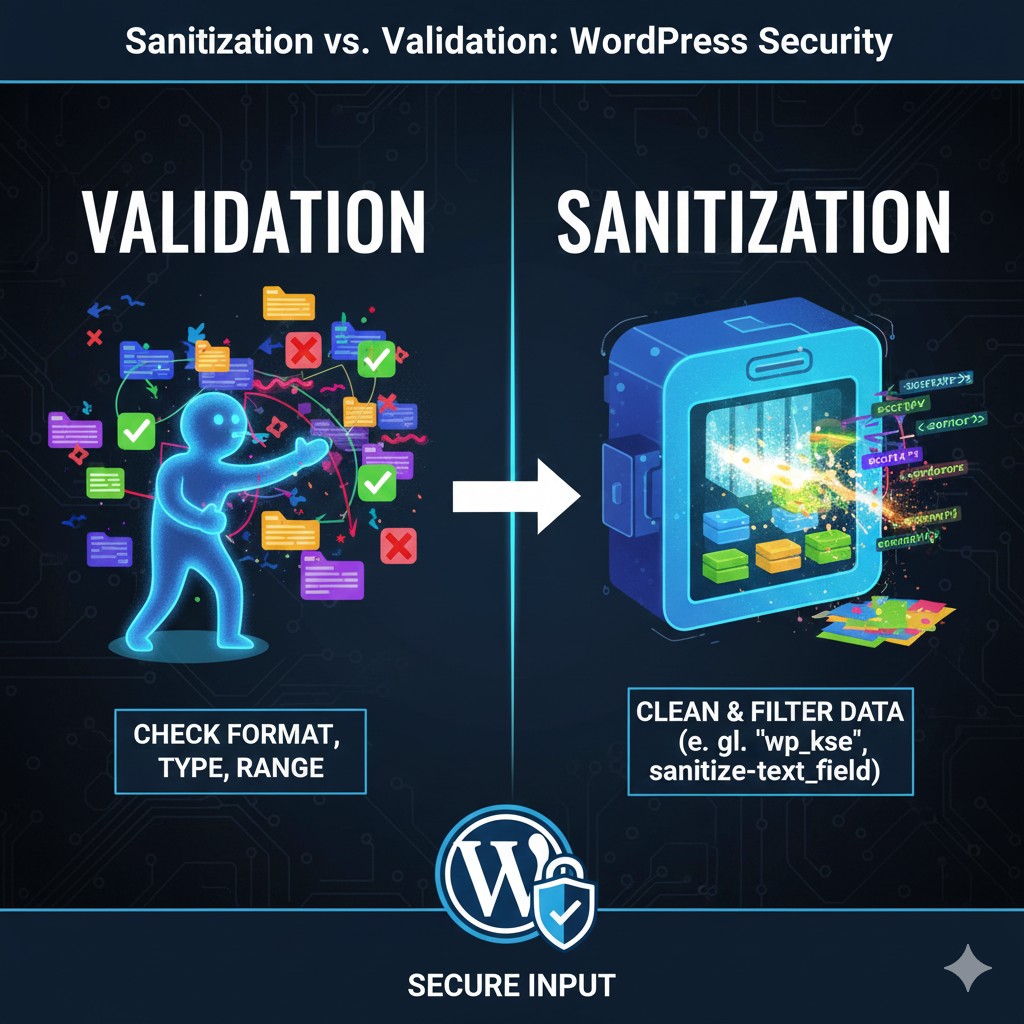
The Essential Distinction: What’s the Difference?
Sanitization and Validation are related but serve completely different security purposes and must be performed in a specific order.
1. Validation (The Bouncer)
Goal: To determine if the data is acceptable (the right format, range, or type) for its intended purpose.
- Question: Does this input look exactly like what I expect? (e.g., Is this a valid email address? Is this number between 1 and 100?)
- Outcome: Always returns a Boolean (
trueorfalse). If validation fails, you must reject the input and show an error message. - When to Use: Before processing or sanitizing (as early as possible).
2. Sanitization (The Cleaner)
Goal: To clean, filter, and modify the data to ensure that any malicious or unacceptable characters are removed before storage or output.
- Question: Can I remove anything potentially dangerous from this input to make it safe? (e.g., stripping HTML tags, ensuring the data is purely a number).
- Outcome: Returns the cleaned data itself.
- When to Use: Before storing data in the database, and before displaying any data that hasn’t been strictly controlled.
The Golden Rule: Validate first, then Sanitize (V -> S).
If the data isn’t even the right format, why waste time cleaning it? If it is the right format, make sure you clean it before storing it.
Phase 1: Validation – Checking Data Integrity
Validation logic is often custom, but it relies on basic PHP and WordPress helpers.
1. Basic Type and Range Checks
Always check that the input is the expected type:
| Input Type | WordPress/PHP Function | Purpose |
| Integers | is_numeric(), absint() |
Check if it’s a number, often used before sanitization. |
is_email() |
Checks for a valid email format. | |
| URL | esc_url_raw() (Sanitization) |
While primarily for cleaning, it performs light validation on structure. |
| Custom | preg_match() |
Use PHP regex to check for strict formats (e.g., phone numbers, UUIDs). |
Example: Validating a User Setting
// Check if 'post_limit' is present, numeric, and within an acceptable range.
if ( isset( $_POST['post_limit'] ) ) {
    $limit = $_POST['post_limit'];
    if ( ! is_numeric( $limit ) || $limit < 1 || $limit > 50 ) {
        // Validation Fails! Reject and display an error.
        wp_die( 'Post limit must be a number between 1 and 50.' );
    }
    // Validation Success: Now move to sanitization.
}
2. Nonce Validation (Security Check)
For any data submitted via a form or AJAX request in the WordPress admin area, you must validate the Nonce (Number Used Once). This proves the request originated from your site, preventing basic CSRF (Cross-Site Request Forgery) attacks.
if ( ! isset( $_POST['_wpnonce'] ) || ! wp_verify_nonce( $_POST['_wpnonce'], 'my_custom_action' ) ) {
    wp_die( 'Security check failed. Please refresh the page.' );
}
// Nonce check success: Proceed with input validation and sanitization.
Phase 2: Sanitization – Cleaning Data for Safety
Once validation is passed, you must sanitize the data immediately before storing it in the database. These are the core WordPress sanitization functions:
1. General Text (sanitize_text_field)
This is the most common and safest function for any single-line text input (names, titles, short descriptions).
- What it does: Strips all HTML tags, removes excess whitespace, and handles certain encoding issues.
- When to use: Everywhere.
$user_name = sanitize_text_field( $_POST['user_name'] );
// Safe for database insertion.
2. Emails, URLs, and Slugs
These functions are specific and highly effective for their respective data types:
| Data Type | WordPress Function | Purpose |
sanitize_email() |
Removes illegal characters and strips HTML tags. | |
| URL | esc_url_raw() |
Strips illegal characters and ensures the string is a valid URL structure. |
| Key/Slug | sanitize_key() |
Ensures the input is safe for use as a database key, array key, or slug (lowercase, alphanumeric, dashes/underscores only). |
3. Complex Text (HTML Content – wp_kses)
If you need to allow some HTML (e.g., in a textarea for bold, italics, links), you cannot use sanitize_text_field(). You must use wp_kses() to filter against a strict whitelist.
wp_kses( $string, $allowed_protocols ): Use this for front-end comments or text areas where no PHP is allowed.wp_kses_post( $string ): The preferred function for sanitizing content that will be saved in thepost_contentcolumn (allows common structural HTML tags).
Example: Sanitizing Post Content
$post_content = wp_kses_post( $_POST['post_content_html'] );
// Only safe, whitelisted HTML remains; everything else is stripped.
4. Numbers (absint and intval)
When dealing with user IDs, post IDs, or quantities, ensure the data is strictly an integer.
absint( $number ): Returns the absolute (non-negative) integer value. Highly recommended for cleaning IDs and counts.intval( $number ): PHP native function to convert to integer.
$post_id = absint( $_GET['post_id'] );
// $post_id is guaranteed to be 0 or a positive integer, safe for database queries.
Best Practices for Securing User Input
- Escape Output (Always!): Sanitization prepares data for storage; Escaping prepares data for display. Always use
esc_html(),esc_attr(), oresc_url()immediately before displaying data to the browser to prevent XSS attacks. - Separate Concerns: Keep validation logic separate from your sanitization functions. Use dedicated functions for each step.
- Default to the Most Restrictive: If you only need a name, use
sanitize_text_field(). Never use a function that allows HTML when plain text is sufficient. - Security by Context: The choice of sanitization function must always match the context of the data (e.g., use
sanitize_key()if the data will become a key, notsanitize_text_field()).
Conclusion: Building Trustworthy WordPress Applications
The distinction between sanitization and validation is the difference between a secure WordPress application and one riddled with vulnerabilities. Always validate first to ensure the data is in the correct format, and then rigorously sanitize using WordPress’s core functions before storing or outputting. By strictly following this two-step process, you build trust with your users and solidify your reputation as a professional, security-conscious developer.
Security is not a feature; it’s a foundation.
Need a security audit or guidance on implementing strict data handling in your WordPress plugin?
If you are working on a high-security application and need expert review of your input handling and output escaping routines, contact me for professional WordPress security consulting and code review services.