
How to Optimize Your WordPress Website for Core Web Vitals in 2025
Google’s Core Web Vitals are no longer optional—they’re a direct ranking factor in 2025.
If your WordPress site loads slowly, shifts unexpectedly, or feels sluggish, you risk losing both rankings and visitors.
In this guide, you’ll learn what Core Web Vitals are, how to measure them, and proven WordPress optimization tips to meet Google’s standards.
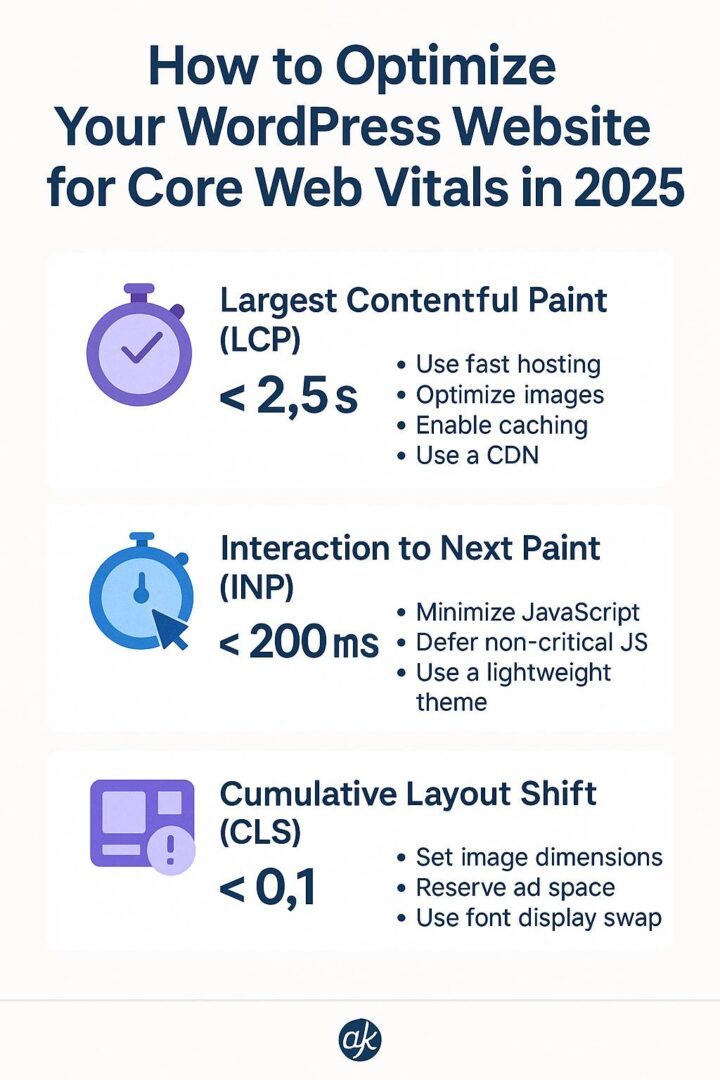
What Are Core Web Vitals?
Core Web Vitals are three key performance metrics Google uses to assess real-world user experience:
- Largest Contentful Paint (LCP) – Measures loading speed. Target: < 2.5s
- First Input Delay (FID) → now replaced by Interaction to Next Paint (INP) in 2025 – Measures interactivity. Target: < 200ms
- Cumulative Layout Shift (CLS) – Measures visual stability. Target: < 0.1
Step 1: Measure Your Current Core Web Vitals
Before optimizing, run your site through:
- Google PageSpeed Insights (pagespeed.web.dev)
- Lighthouse in Chrome DevTools
- Google Search Console → Core Web Vitals Report
Step 2: Improve LCP (Largest Contentful Paint)
- Use a Fast Hosting Provider – Consider managed WordPress hosting like SiteGround, Cloudways, or WP Engine.
- Optimize Images – Convert to WebP/AVIF formats with plugins like ShortPixel or Imagify.
- Enable Caching – Use LiteSpeed Cache or WP Rocket to store static versions of pages.
- Use a CDN – Cloudflare or BunnyCDN for global content delivery.
Step 3: Reduce INP (Interaction to Next Paint)
- Minimize JavaScript – Use Asset CleanUp or Perfmatters to unload unnecessary scripts.
- Defer Non-Critical JS – Load only essential scripts first.
- Use a Lightweight Theme – Themes like Astra, GeneratePress, or Blocksy.
Step 4: Fix CLS (Cumulative Layout Shift)
- Always Set Image Dimensions – Avoid unexpected content shifts.
- Reserve Ad Space – Prevent ads from pushing content down.
- Use Font Display Swap – Avoid invisible text during font loading.
Step 5: General Optimization Tips for 2025
- Update WordPress, Themes, and Plugins regularly.
- Use PHP 8.2+ for better performance.
- Lazy-Load Images & Videos to save bandwidth.
- Enable GZIP or Brotli Compression via hosting or plugins.
Example Optimization Stack for 2025
- Hosting: SiteGround (or equivalent)
- Theme: GeneratePress / Astra
- Cache: LiteSpeed Cache or WP Rocket
- Image Optimization: ShortPixel WebP
- CDN: Cloudflare Pro
Before & After: Expected Results
Most WordPress sites see:
- 50–70% faster load times
- INP reduced by 40–60%
- Improved rankings & lower bounce rates
Need Expert Help?
I help WordPress site owners audit, optimize, and pass all Core Web Vitals—ensuring better rankings and conversions.