
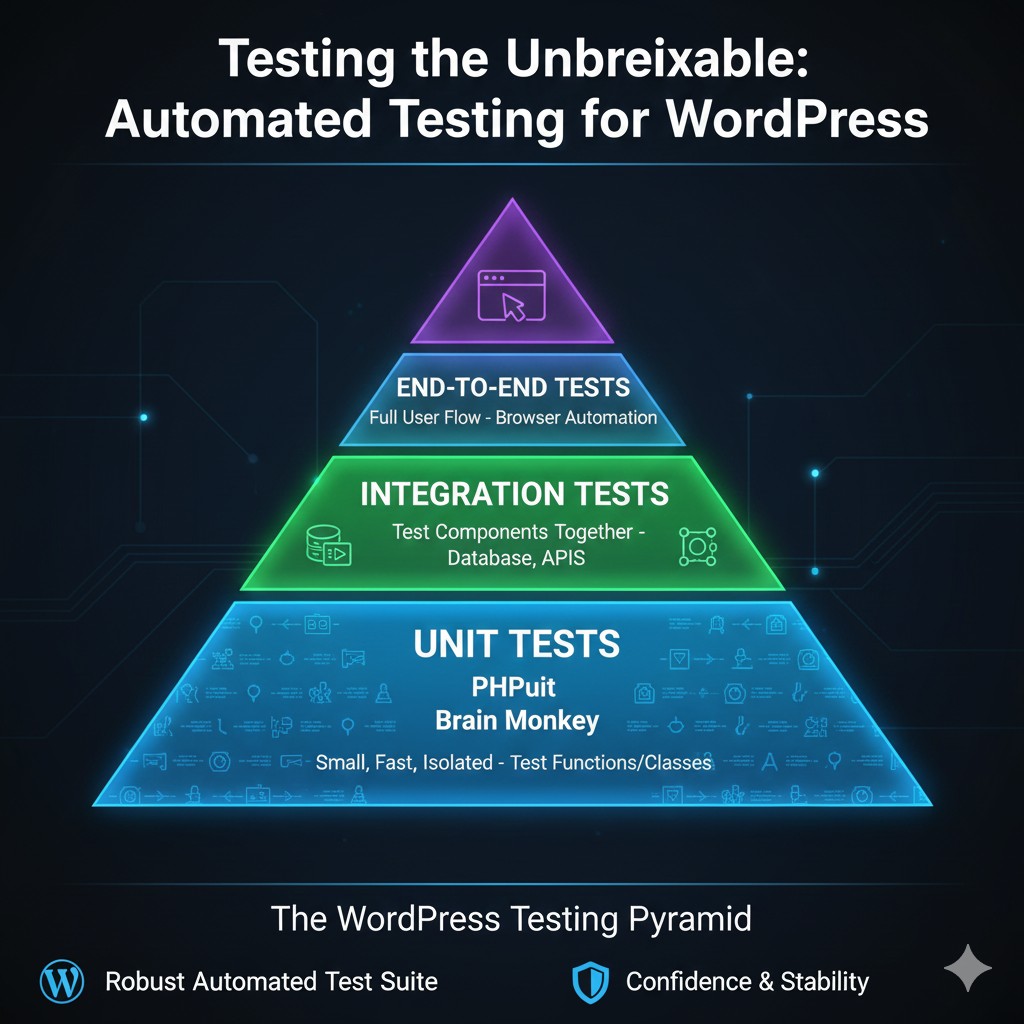
Why Unit Testing is Different in WordPress
Traditional unit testing assumes your code is “pure” (it doesn’t rely on outside systems). WordPress, however, is a giant collection of global functions (get_option, wp_insert_post, etc.).
If your class calls get_option(), it’s no longer a “unit” test—it’s an integration test because it needs the WordPress database to run. True unit testing in WordPress requires us to “mock” these core functions so we can test our logic without loading the entire WordPress core.
Setting Up Your Tools: PHPUnit and Brain Monkey
To build a professional-grade testing environment, you need two primary tools:
- PHPUnit: The industry-standard testing framework for PHP.
- Brain Monkey: A specialized library for mocking WordPress functions and hooks. It allows you to simulate WordPress behavior without actually loading WordPress.
Writing Your First Test: The Mocking Strategy
Let’s look at a class that checks if a user is a “VIP” based on a WordPress option.
The Class to Test:
class UserValidator {
    public function is_vip( $user_id ) {
        $vip_list = get_option( 'my_plugin_vips', [] );
        return in_array( $user_id, $vip_list );
    }
}
The Unit Test (using Brain Monkey): To test this, we don’t want to touch a real database. We want to tell the test what get_option should return.
use Brain\Monkey\Functions;
class UserValidatorTest extends \PHPUnit\Framework\TestCase {
    protected function setUp(): void {
        parent::setUp();
        \Brain\Monkey\setUp();
    }
    public function test_is_vip_returns_true_for_valid_id() {
        // Mocking the WordPress function
        Functions\when( 'get_option' )->justReturn( [1, 5, 10] );
        $validator = new UserValidator();
        // The assertion
        $this->assertTrue( $validator->is_vip( 5 ) );
    }
    protected function tearDown(): void {
        \Brain\Monkey\tearDown();
        parent::tearDown();
    }
}
By mocking WordPress functions, your tests run in milliseconds. You can test hundreds of scenarios—empty arrays, invalid IDs, server errors—without ever refreshing a browser.
The Payoff: Why Dependency Injection Matters Now
Remember our post on Dependency Injection? This is where it shines. If you inject your dependencies, you don’t even need Brain Monkey to mock them; you can use PHPUnit’s built-in createMock() method.
When you combine unit testing wordpress classes with DI, your code becomes modular, clean, and virtually bug-proof.
Integrating Tests into Your Workflow (CI/CD)
The ultimate goal of automated testing in WordPress is to have your tests run every time you push code to GitHub or GitLab. This is known as Continuous Integration (CI).
- GitHub Actions: Can automatically run
vendor/bin/phpuniton every pull request. - Safety Net: If a test fails, the code cannot be merged, preventing bugs from ever reaching your users.
Conclusion: Building with Confidence
Unit testing your WordPress plugin might seem like extra work upfront, but it is the single best investment you can make in your career as a developer. It eliminates regression bugs, documents your code’s intent, and gives you the confidence to refactor even the most complex systems.
Don’t wait for your next big project to break. Start small, mock your first function, and build your way to an unbreakable codebase.
Is your WordPress project growing too complex to manage without errors?
If you’re looking to implement a full WordPress unit test suite or need a consultant to help your team transition to test-driven development (TDD), contact me for expert WordPress architecture and automated testing consulting.