
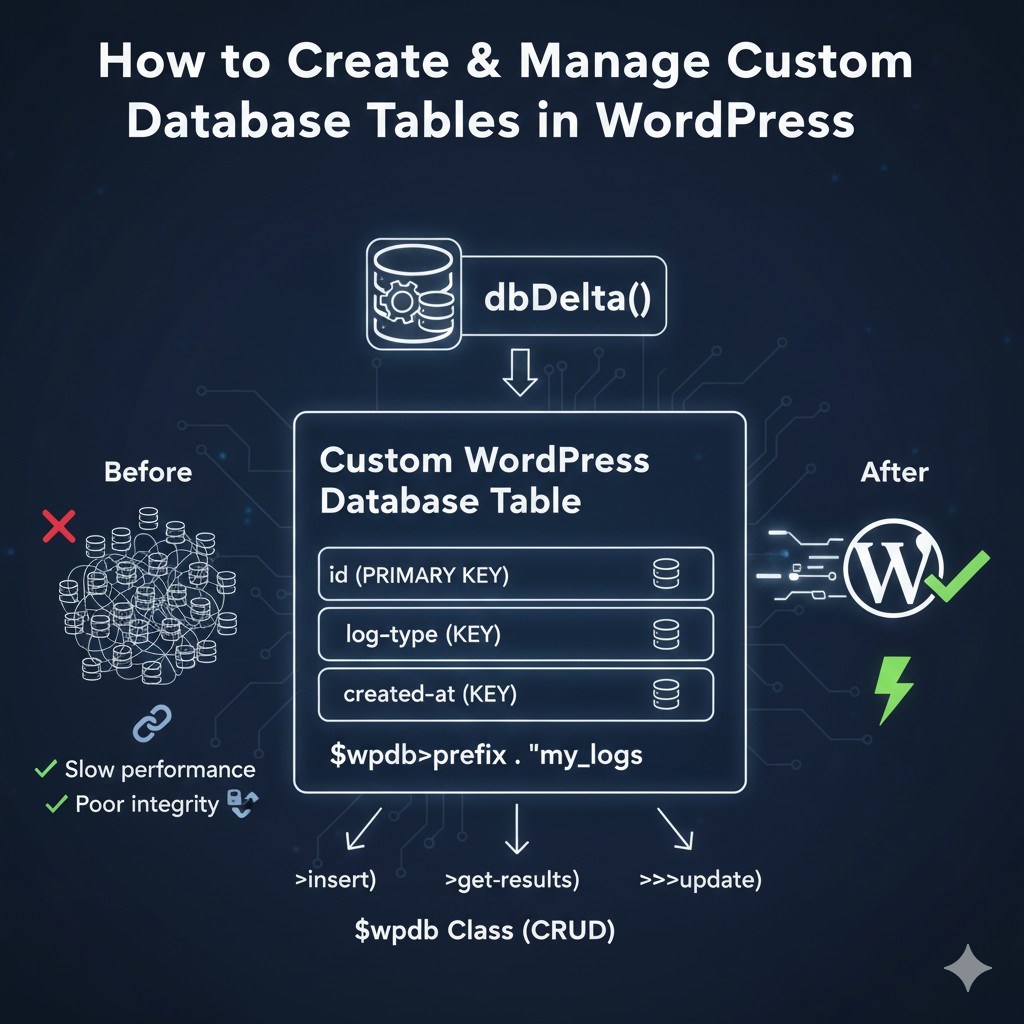
Why Custom Tables Are Necessary for Scalable Applications
Choosing a custom table over the default meta tables offers significant advantages:
- 1. Efficiency and Speed: Custom tables are optimized for your specific data structure. Instead of querying a huge
wp_postmetatable and joining across rows (the EAV model), you query a single, highly indexed table directly. - 2. Data Integrity: You gain control over data types, lengths, and constraints. You can enforce strict relationships and data validity using standard SQL techniques.
- 3. Query Simplicity: You use clean SQL (
SELECT * FROM wp_my_table WHERE status = 'active') instead of complex, slowmeta_queryarguments. - 4. Cleaner Backups: Custom tables isolate your application data, making it easier to manage backups and migrations compared to large, generalized meta tables.
Step 1: Defining the Schema and Installation using dbDelta()
Custom tables should be created only once—when your plugin or theme is activated—and updated reliably. WordPress provides the specialized dbDelta() function for this, which intelligently compares the existing table schema against your desired schema and performs necessary updates without losing data.
The Setup Function
Place this code inside a dedicated plugin file, hooked to the plugin activation.
// Global variable for the $wpdb object
global $wpdb;
require_once( ABSPATH . 'wp-admin/includes/upgrade.php' ); // Required for dbDelta()

function my_plugin_create_db_table() {
    global $wpdb;

    // Define the table name (with prefix)
    $table_name = $wpdb->prefix . 'custom_logs';

    // Define the character set and collation
    $charset_collate = $wpdb->get_charset_collate();

    // The SQL Schema Definition
    $sql = "CREATE TABLE $table_name (
        id bigint(20) NOT NULL AUTO_INCREMENT,
        log_type varchar(50) NOT NULL,
        log_message text NOT NULL,
        user_id bigint(20) DEFAULT 0 NOT NULL,
        created_at datetime DEFAULT CURRENT_TIMESTAMP NOT NULL,
        PRIMARY KEY  (id),
        KEY log_type (log_type),
        KEY user_id (user_id)
    ) $charset_collate;";

    // Execute dbDelta to create or update the table safely
    dbDelta( $sql );
}
// Hook this function to run only once when the plugin is activated
register_activation_hook( __FILE__, 'my_plugin_create_db_table' );
Developer Insights on dbDelta():
dbDelta()only works if you follow specific rules:- Always include
PRIMARY KEY. - Always include two spaces between
PRIMARY KEYand its definition. - Always define column types in capitals.
- Use
KEY(orUNIQUE KEY) for indexing columns you plan to query frequently (likelog_typeoruser_id).
- Always include
Step 2: Cleaning Up on Plugin Deactivation
For clean code and good stewardship, you should offer an option to remove the custom table when the plugin is uninstalled (deleted).
function my_plugin_drop_db_table() {
    global $wpdb;
    $table_name = $wpdb->prefix . 'custom_logs';
    // Always prompt the user before deleting data!
    // This hook runs only when the plugin is DELETED, not deactivated.
    $wpdb->query( "DROP TABLE IF EXISTS $table_name" );
}
// Hook to run when plugin is deleted (uninstalled)
register_uninstall_hook( __FILE__, 'my_plugin_drop_db_table' );
Warning: Use register_uninstall_hook with caution, as it permanently deletes data.
Step 3: Performing CRUD Operations with the $wpdb Class
The global $wpdb object is your secure gateway to the WordPress database. It provides methods that handle table prefixes and secure data sanitation, preventing SQL injection.
1. CREATE (Inserting Data)
Use $wpdb->insert() for safe data insertion:
function my_plugin_drop_db_table() {
    global $wpdb;
    $table_name = $wpdb->prefix . 'custom_logs';

    // Always prompt the user before deleting data!
    // This hook runs only when the plugin is DELETED, not deactivated.
    $wpdb->query( "DROP TABLE IF EXISTS $table_name" );
}
// Hook to run when plugin is deleted (uninstalled)
register_uninstall_hook( __FILE__, 'my_plugin_drop_db_table' );
2. READ (Retrieving Data)
Use $wpdb->get_results(), $wpdb->get_row(), or $wpdb->get_var(). Always use $wpdb->prepare() to safely escape variable inputs.
function insert_new_log( $type, $message, $user_id = 0 ) {
    global $wpdb;
    $table_name = $wpdb->prefix . 'custom_logs';

    $result = $wpdb->insert(
        $table_name,
        array(
            'log_type' => $type,
            'log_message' => $message,
            'user_id' => $user_id,
        ),
        array( '%s', '%s', '%d' ) // Format placeholders: %s (string), %d (integer)
    );

    return $result ? $wpdb->insert_id : false;
}
3. UPDATE (Modifying Data)
Use $wpdb->update() to change existing records:
function get_logs_by_user( $user_id ) {
    global $wpdb;
    $table_name = $wpdb->prefix . 'custom_logs';

    // Use $wpdb->prepare for secure query building
    $sql = $wpdb->prepare(
        "SELECT * FROM $table_name WHERE user_id = %d ORDER BY created_at DESC LIMIT 10",
        $user_id
    );

    // Get the results as an array of objects
    $results = $wpdb->get_results( $sql );
    return $results;
}
4. DELETE (Removing Data)
Use $wpdb->delete() for safe deletion:
function delete_old_logs( $days_old ) {
    global $wpdb;
    $table_name = $wpdb->prefix . 'custom_logs';

    // Calculate the date threshold
    $cutoff_date = date( 'Y-m-d H:i:s', strtotime( "-$days_old days" ) );

    // Use $wpdb->prepare with a direct query for complex deletion conditions
    $sql = $wpdb->prepare(
        "DELETE FROM $table_name WHERE created_at < %s,
        $cutoff_date
    );

    $result = $wpdb->query( $sql );
    return $result;
}
Best Practices for Custom Database Tables
- Prefix Your Tables: Always prepend your table name with
$wpdb->prefix(e.g.,$wpdb->prefix . 'my_table'). This ensures compatibility across different WordPress installations and hosting setups. - Avoid Raw SQL: Whenever possible, use the
$wpdbhelper methods (insert,update,delete,prepare) instead of writing raw SQL directly, as these methods handle security and escaping for you. - Indexing is Key: Identify the columns you will query against (
WHEREclauses) or sort by (ORDER BY) and define **KEY**s in yourdbDeltaschema definition. Proper indexing is the secret to fast queries. - Run
dbDelta()on Updates: To ensure data integrity, always rundbDelta()again when you update your plugin to introduce new columns or modify your table structure. WordPress will handle the change safely. - Use Caching: Even with efficient custom tables, always use the Transient API (as discussed in a previous post!) to cache the results of your most complex
$wpdbqueries.
Conclusion: Building a Scalable Data Foundation
Moving your application’s data out of WordPress’s default structure and into custom database tables is a vital step toward professional, scalable WordPress development. By mastering the $wpdb object and the dbDelta() function, you gain the control, security, and performance necessary to build enterprise-grade applications on the WordPress platform.
If you are seeing slow query times or managing custom data is a headache, it’s time to create your first custom table.
Struggling to define your custom database schema or optimize your $wpdb queries?
If you need expert help designing efficient custom database tables for your high-traffic WordPress application or need to debug slow SQL, contact me for professional WordPress database optimization and development services.